Budgets & Rates
Set project rates, create money or hours budgets, and monitor usage without rewriting historical time.
Budgets turn tracked time into a simple view of planned capacity or project spend. Each project has its own currency, default hourly rate, and one or more budget periods.
Configure project economics
Open a project's ••• menu, choose Settings, then open Time & budget. Set the project's currency and default hourly rate under Project economics.
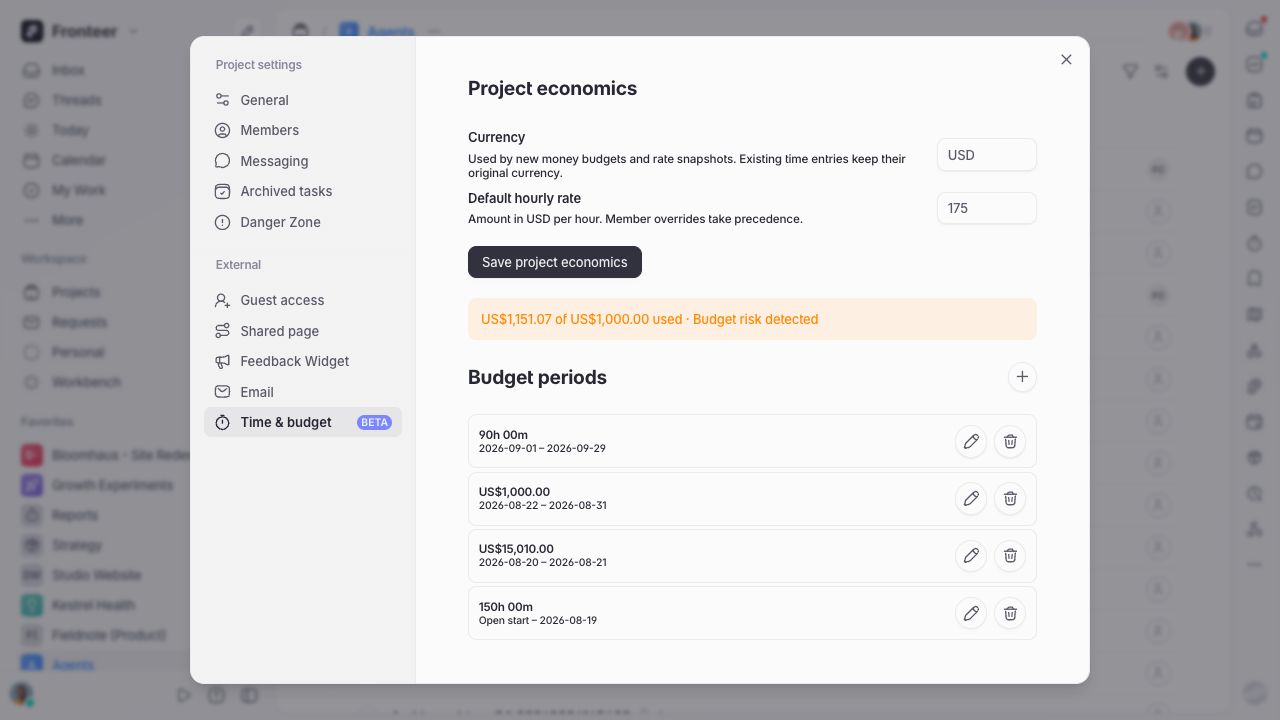
The project rate is used for new time entries. To give one person a different rate, open the Members settings and add an hourly rate override beside their name. A member override takes precedence over the project default.
Every entry keeps the rate and currency that applied when it was created. Later rate changes therefore affect new work without changing earlier reports or exports.
Create a budget period
Choose + beside Budget periods, then select a budget unit:
- Money tracks billable value against an amount in the project currency.
- Hours tracks recorded duration against an hours allowance.
Add start and end dates when the budget belongs to a specific period. Budget periods cannot overlap; leave a boundary open only when the budget genuinely has no start or end date.
By default, non-billable time is not counted against a budget. Enable Count non-billable time against this budget when all recorded effort should consume the allowance.
Allocate a budget
A budget can be allocated across project sections or cycles. Enter an amount for each one and use the unallocated remainder to check what is still available. Lane prevents the allocations from exceeding their parent budget.
Allocations are optional. A single project-level budget is usually the clearest place to start; add allocations when you need to compare parts of the project separately.
Monitor and update a budget
Select the project on the workspace Time Tracking page, or open the project's Time & budget sidebar, to see planned time, actual time, budget used, and budget remaining. Lane warns you when spend exceeds the budget or delivery is running materially ahead of the available allowance.
You can edit a budget's amount and end date as plans change. Once a budget has recorded usage, its unit and currency cannot be changed and it cannot be deleted. Set an end date instead, preserving the historical report while allowing a new period to begin.