Customer Requests
Collect customer feedback, preserve who asked for it, consolidate duplicates, and close the loop when work ships.
Customer Requests connects feedback to the work it influences. Requests submitted through email or the Lane widget become tasks, while the original requester, customer, and wording remain attached as customer context. This lets you consolidate duplicate requests without losing the people behind them.
Set up the Requests project
Open Requests in the workspace navigation. Lane provisions a Customer Requests project with email and widget intake enabled. It is a normal project behind the scenes, so you can use views, sections, assignments, labels, comments, and the rest of the task workflow as usual.
New submissions arrive as unread tasks for triage. If a request represents work you intend to plan directly, move its task into the appropriate delivery project; its customer context moves with it.
Customer records
When a request arrives from a business email address, Lane matches the domain to an existing customer or creates one. Requests from common personal email providers still record the contact, but are left without a company so you can triage them appropriately.
Open Customers from the workspace navigation to search and sort customer records. You can add a customer before they have made a request, edit their name and domains, and record details such as tier, annual recurring revenue, or an external CRM ID.
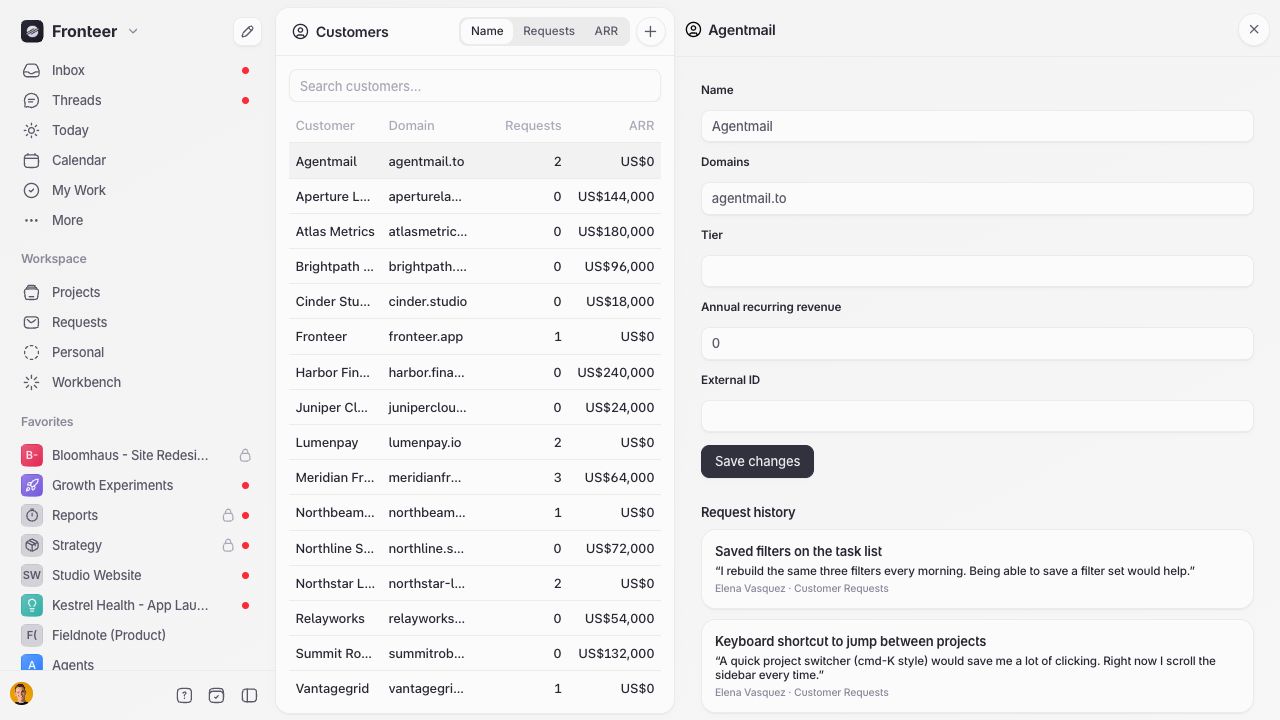
Each customer detail panel brings together their request history across projects. A domain added to a customer is also used when matching future inbound requests.
Preserve the reason behind the work
Open a task’s Requests tab to see who asked, which customer they belong to, when the request arrived, and the requester’s original wording. More than one request can point to the same task, giving the team a consolidated demand signal without duplicating the work itself.
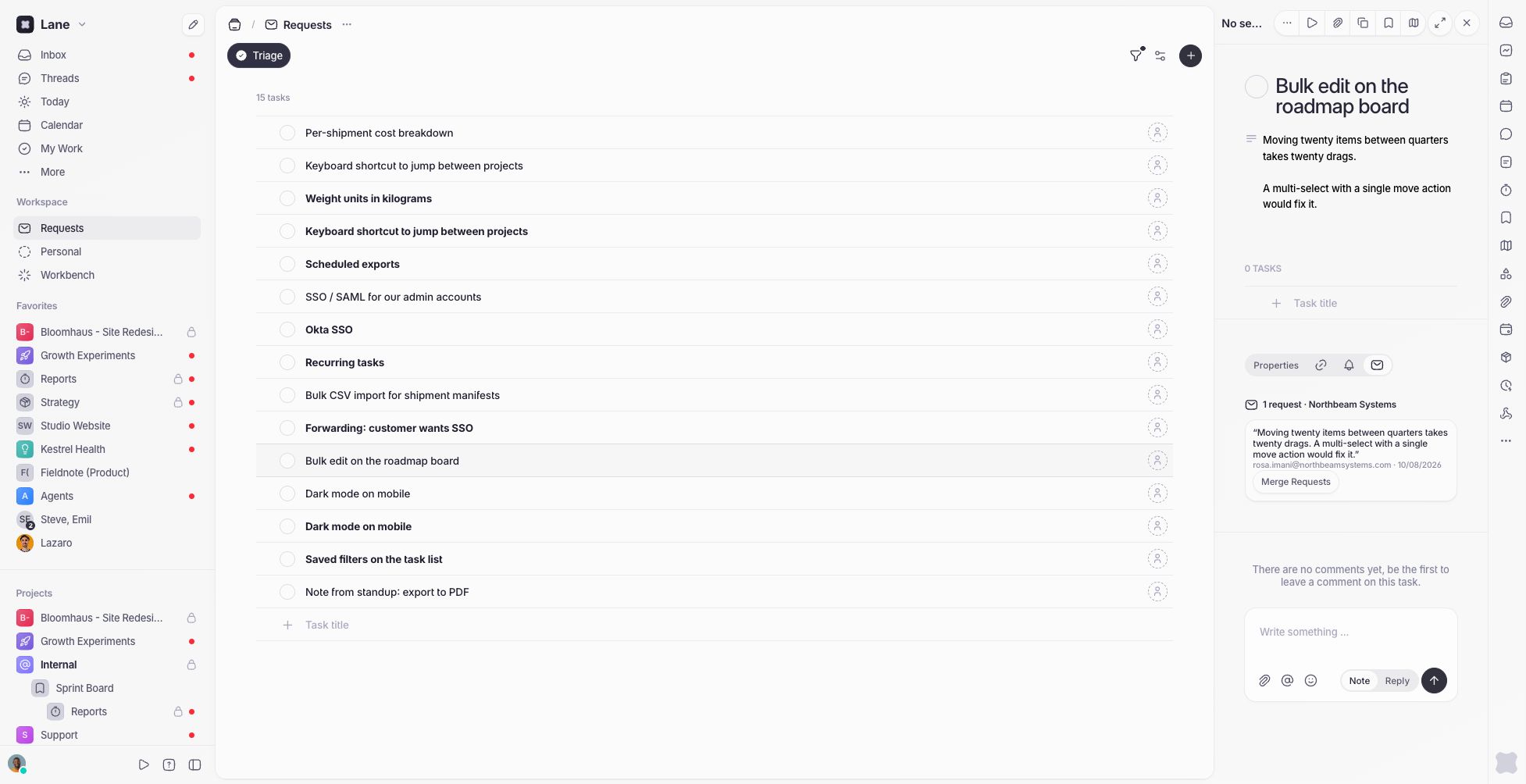
The request record is separate from the task’s live conversation. Moving or merging a request does not rewrite the original contact or quote.
Merge duplicate requests
Use Merge Requests when an incoming request duplicates work that already exists. Search for a destination task anywhere in the workspace, then confirm the merge. The selected request moves to the destination task and the source task is archived.
Only the selected request moves. If the source task has other requests attached, they remain on that task and are archived with it; Lane calls this out before you confirm. Merge those requests individually when they should all contribute to the same planned task.
Merge or archive customers
Customer records can be merged when domain matching produces duplicates, such as after a rebrand or domain change. The destination customer survives, receives the source customer’s domains and requests, and the source customer is archived.
Archiving a customer removes it from the active Customers list without deleting its request history.
Notify requesters when work ships
When publishing a release, enable Notify requesters to email the contacts attached to its tasks. Lane deduplicates recipients by email address. If the project’s Changelog page is enabled, the notification links to the published releases; if it is disabled, the update is sent without a public link.